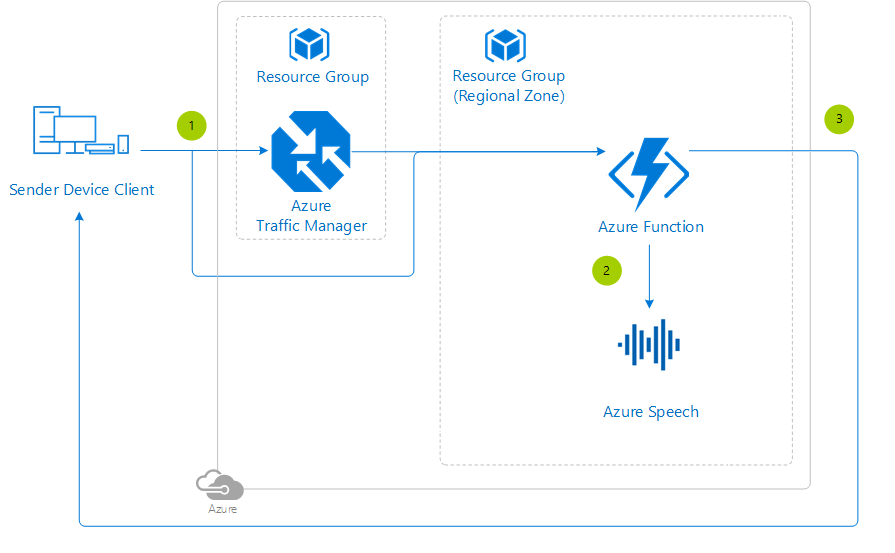
Azure Speech to Text is a service in Azure Speech that converts spoken audio into written text. It supports real-time transcription, fast transcription for quick synchronous results, batch transcription for prerecorded audio, and custom speech models for domain-specific accuracy improvements.
What is Azure Speech to Text?
Azure Speech to Text is Microsoft’s cloud-based speech recognition capability for turning speech into text from microphones, audio streams, or audio files. According to Microsoft, it supports real-time and batch transcription, and it can be extended with features such as diarization, phrase lists, and language detection.
In simple terms, the service listens to spoken audio and returns text that applications can use for captions, notes, search, automation, accessibility, or analytics. It is designed to work across live scenarios and large prerecorded workloads.
How the service is designed?
Azure Speech to Text is designed around different transcription patterns rather than a single mode. Microsoft documents four main options: real-time transcription for live audio, fast transcription for predictable and faster synchronous results on audio files, batch transcription for large volumes of prerecorded audio, and custom speech for improving recognition in specialized domains.
That design is useful because not every workload has the same requirement. A live webinar needs immediate captions, while a media archive may need asynchronous batch processing, and a healthcare or legal application may need custom vocabulary support to improve accuracy.
The service also includes features that improve usability and accuracy in real projects. These include diarization to separate speakers, phrase lists for domain terms or proper nouns, and language detection when the spoken language is unknown or changes during the recording.
Use cases.
Microsoft highlights several common use cases for Azure Speech to Text, and they map well to real business scenarios.
- Live captions and accessibility for webinars, virtual events, and meetings.
- Customer service support where agents receive live call transcription while speaking to customers.
- Video subtitling to quickly generate captions or subtitles for recorded media.
- Education where lecture recordings are transcribed for searchable notes and accessibility.
- Healthcare documentation where clinicians can dictate notes and combine the service with custom speech for medical terms.
- Call analytics and market research where recorded conversations are converted into text for downstream analysis.
- A simple way to think about it is this: if people are speaking and the business needs searchable or reusable text, Azure Speech to Text can usually fit somewhere in the workflow.
Free Tier
Azure provides a Free tier, also called F0, for Speech services. For Speech to Text, Microsoft’s pricing page states that the Free tier includes 5 audio hours free per month for real-time transcription, and those free hours are shared between Standard and Custom Speech to Text.
Microsoft also notes that batch transcription is not supported in the free allowance for Speech to Text. For teams evaluating the service, this makes the free tier useful for prototyping, testing real-time transcription, validating audio quality, or checking whether a custom model is worth pursuing before moving to paid usage.
For Custom Speech to Text, the Free tier also includes one hosted model free per month, with the note that unused models are automatically decommissioned after seven days.
Azure bills Speech to Text based on the number of audio hours sent to the service, and usage is billed in one-second increments. The pricing page separates options such as Standard Transcription, Custom Transcription, and enhanced add-on features like continuous language identification, diarization, and pronunciation assessment.
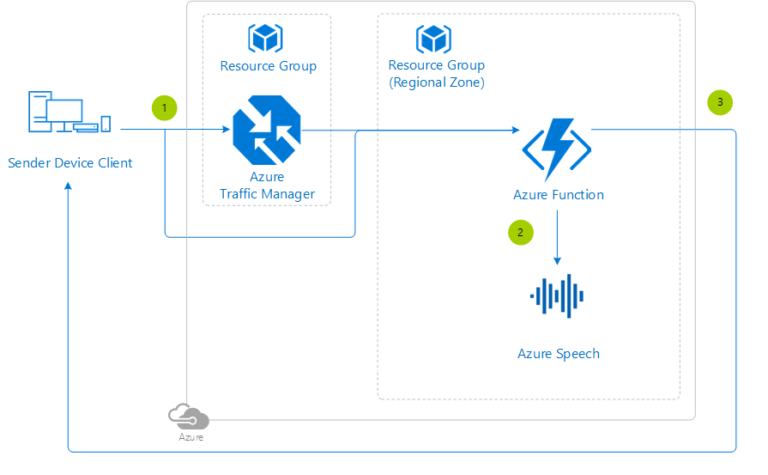
Standard vs custom speech
Out of the box, Azure Speech to Text uses Microsoft’s base speech models that already perform well for common speech recognition scenarios. Microsoft explains that custom speech becomes useful when an application needs better recognition of industry vocabulary, proper nouns, unusual accents, or challenging audio environments.
This is where design decisions matter. A general meeting assistant may work well with the standard model, but a healthcare dictation app, manufacturing scenario, or legal recording workflow may benefit from custom speech because the vocabulary and speaking conditions are more specialized.
Final thoughts.
Azure Speech to Text is more than a simple speech recognition API. It is a flexible transcription platform that supports live captions, batch processing, fast file transcription, domain customization, and enterprise-scale deployment patterns.
For teams getting started, the 5 free audio hours per month in the Free tier make it easy to test the service before moving into production. For production workloads, the combination of multiple transcription modes, customization support, and pay-as-you-go pricing makes it a practical service for accessibility, automation, documentation, and analytics use cases.