Cloud migrations are notoriously painful. They routinely stall out not because of execution failures, but due to fragmented spreadsheets, drawn-out internal debates over architecture, and the overwhelming task of manual dependency mapping. In fact, standard industry reports show that cloud migration budgets are exceeded by 17% on average, purely due to poor up-front assessment.
Microsoft aims to fix this with the public preview of the Azure Copilot Migration Agent. Built straight into the Azure Migrate dashboard, this new AI assistant shifts migration planning from manual manual analysis to a natural language conversation.
If you are planning to move VMware, Hyper-V, or bare-metal estates to Azure, here is everything you need to know about this new tool—and the crucial architectural limitations you must keep in mind.
The Core Concept: What Exactly Is It?
The Azure Copilot Migration Agent is a planning‑focused AI companion that sits on top of your Azure Migrate project data. Instead of forcing you to hunt through thousands of lines of server data to figure out readiness, you chat with the agent using natural language prompts.
⚠️ The Ultimate Limitation: The Migration Agent handles planning, assessment, ROI analysis, and landing zone generation. It does NOT execute the actual migration. It will not replicate data, run test migrations, or trigger final cutovers. You will still execute those physical infrastructure steps inside the standard Azure Migrate portal.
The 3 Pillars of the Agentic Migration Journey
The Migration Agent changes the game across three specific phases of your cloud transformation:
1. Confidence Before You Move (Discovery & Analysis)
Enterprise discovery usually stalls because deploying monitoring tools requires complex corporate network approvals. The Migration Agent bypasses this by interpreting agentless VMware discovery data, offline inventory snapshots via the new Azure Migrate Collector, or simple RVTools xlsx imports.
Once your raw server data is uploaded, you can query it conversationally:
Prompt: “Summarize my discovered workloads and point out any sizing blockers.”
What it does: The AI automatically categorizes your applications, evaluates performance baselines, surfaces security vulnerabilities, and gives you evidence-backed “6R” recommendations (Rehost, Refactor, Rearchitect, etc.). It will even generate a boardroom-ready business case detailing your long-term return on investment (ROI).
2. Execution at Scale (Automated Landing Zones)
Historically, designing a compliant environment—configuring identity rules, setting up virtual network subnets, and selecting firewalls—takes weeks. The Migration Agent cuts this phase down by generating Infrastructure as Code (IaC) configurations based on your prompts.
Prompt: “Generate a landing zone template for our Central India region. We use subscription X for identity and require a Palo Alto firewall.”
What it does: The agent evaluates Microsoft’s Cloud Adoption Framework (CAF) best practices against your constraints and generates fully deployable Terraform or Bicep templates. It also structures logical “wave plans” so you can migrate by application groups rather than loose, disconnected virtual machines.
3. Modernization Without Handoffs (Developer Flow)
Instead of treating migration as a pure lift-and-shift infrastructure exercise, the Migration Agent bridges the gap to application development by securely invoking GitHub Copilot.
When evaluating an application server, the agent coordinates code upgrades directly. Developers can conversationally plan frameworks updates, automate routine adjustments for .NET and Java apps, and tie into deep analysis platforms like CAST Highlight to dramatically lower code refactoring risks.
Pricing: What Does It Cost?
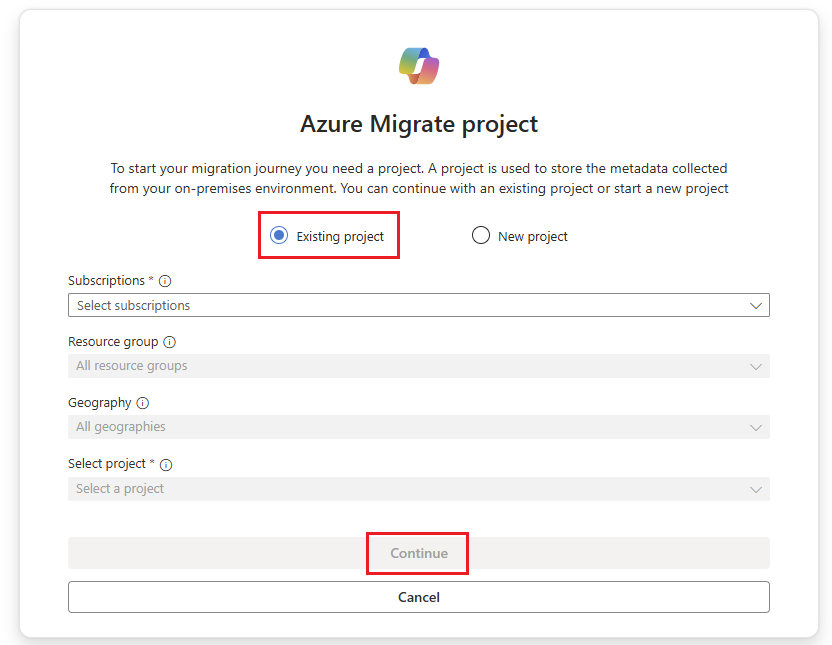
Because the service is currently in Public Preview, the agentic capabilities within Azure Copilot are 100% free to use. You only need an active Azure subscription, an Azure Migrate project, and to ensure that the “Agents (preview)” flag is toggled on inside your tenant’s Azure Copilot settings. Microsoft will announce formal consumption pricing closer to General Availability (GA).
Architectural Verdict: Should You Use It?
If your team is buried under raw server inventory data, the Azure Copilot Migration Agent is well worth enabling. It doesn’t replace the engineering need to execute replication and verify cutovers, but it eliminates the friction of manual mapping, automates your initial CAF-aligned architecture code, and turns deep cloud planning into a straightforward, conversational process.
For a complete breakdown of the wider agentic framework Microsoft is rolling out to cloud architects, you can watch this helpful Introduction to Agentic Migration and Modernization Tools Video. This video is highly relevant because it covers how the Azure Migrate Agent pairs up with developer tools like GitHub Copilot to streamline your application migration and modernization strategy.