Azure Container Apps express is a streamlined environment tier purpose-built for web applications. It provides the fastest way to deploy containerized web applications to Azure. By removing infrastructure decisions, express allows you to focus solely on building your application.
If you are looking for an A to Z understanding of Azure Container Apps express, here is a complete architectural and operational breakdown based on the official Microsoft documentation.
What is Azure Container Apps Express?
Azure Container Apps express is a developer-first and agent-first platform designed to get your web apps running in the cloud as fast as possible.
- Zero Infrastructure Management: Express removes infrastructure decisions: no environment to manually provision, no networking to configure, and no scaling rules to write.
- Simplified Deployment: You bring a container image, and express handles everything else.
- Opinionated Defaults: Sensible, production-ready defaults are applied automatically so you do not have to configure infrastructure settings.
Who is Express Designed For?
Express is purpose-built for two primary audiences:
- Developers who want to ship fast: It is designed for SaaS apps, APIs, web dashboards, prototypes, and startups that need to go from idea to production in minutes.
- Agents that deploy on demand: The rapid provisioning and scale-from-zero features make express an ideal host for AI-powered applications, Model Context Protocol (MCP) servers, tool-use endpoints, multi-step workflow APIs, and agent backends.
Standard Azure Container Apps vs. Express
While standard Azure Container Apps requires you to create and configure a managed environment before deploying apps, express eliminates that step entirely.
- Provisioning Speed: Express apps are running in seconds, not minutes.
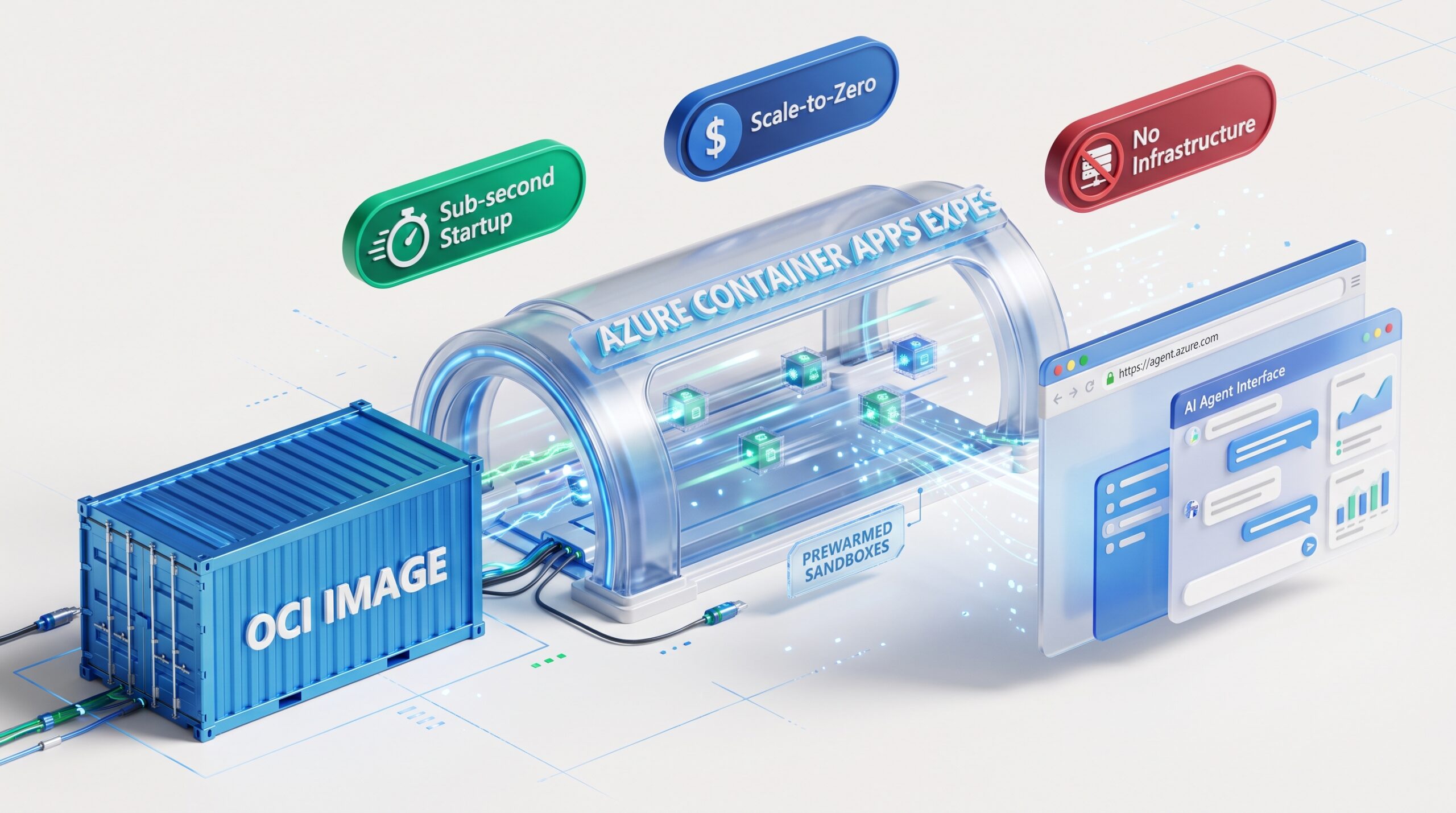
- Cold Starts: Express delivers subsecond scale-from-zero startup times. The platform automatically optimizes cold-start behavior so your app is ready to serve traffic quickly.
- Environment Management: Express environments are fully managed and shared, so you do not provision or configure the underlying infrastructure.
- Management UI: Express apps are managed through a specialized UI experience separate from the standard Azure portal.
- When to use Standard: For workloads that need VNet isolation, dedicated compute, GPU workloads, or advanced networking, standard Azure Container Apps continues to offer the necessary compute options through workload profiles.
The Underlying Architecture: Sandboxes
Under the hood, express is built entirely on Azure Container Apps Sandboxes. This is a foundational platform primitive that delivers subsecond startup from prewarmed pools, strong isolation, and massive scale-out. You do not need to understand Sandboxes to use express; express is simply the opinionated, developer-friendly experience built on top of them.
Express vs. Azure Container Instances (ACI).
Azure Container Instances (ACI) is a low-level primitive for running a single container or container group with no built-in HTTP ingress, scaling, revisions, or app lifecycle management.
In contrast, Azure Container Apps express is a full application platform. It provides a public HTTPS endpoint, automatic scale to and from zero, multi-replica scale-out, secrets, environment variables, log streaming, and exec access. If you are running a web app, API, MCP server, or agent endpoint, express is the better fit.
Compute, Networking, and Supported Features
- Compute Model: Express apps run on consumption CPU with pay-as-you-go pricing. Compute runs when your app receives requests and scales down to zero when idle.
- Container Requirements: Express supports Linux containers built for the
linux/amd64architecture. Images can be pulled from any registry that supports anonymous or token-based pull, and there is no special base-image requirement.
- Account Requirements: Express requires a Microsoft Entra ID-backed account; personal Microsoft accounts and non-Entra-backed accounts are not supported.
- Networking Capabilities: Express supports HTTP ingress, internal or external ingress, IP restrictions, CORS, virtual network egress, and environment private endpoints.
- Feature Limitations: Express currently does not support HTTP/2, TCP, insecure HTTP, custom domains, client certificates, session affinity, built-in service discovery, Dapr, jobs, or system-assigned managed identities.
Pricing and Migration
- Cost & Free Tier: Express uses the existing Azure Container Apps consumption pricing model, featuring per-second vCPU and memory billing with scale-to-zero. It includes the same generous free grant that applies to standard consumption workloads, meaning you are not charged until your usage exceeds the free grant thresholds. There is no environment provisioning fee.
- Migration Strategy: You can use the archive and restore mechanism to migrate your existing stable environment to express. This self-migration process preserves the existing app configuration while providing faster provisioning and faster scale from zero.
Reference.
Azure Container Apps express – Frequently asked questions | Microsoft Learn
Express (Preview) | Azure Container Apps Portal Docs
Portal: Home — Azure Container Apps